How to change RecPress location radius options
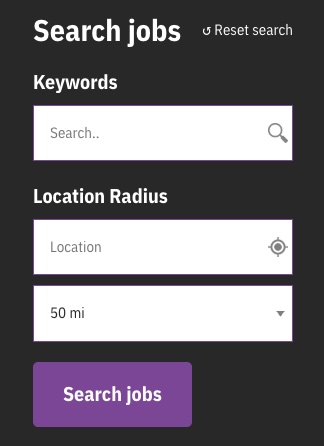
RecPress comes with a location radius based search. Part of this provides a dropdown to users to find jobs within some set distances of the location entered.
Depending on the jobs you post, these preset radius options (10, 25, 50, 75, 100 and 200 miles) may not be appropriate. The unit may also need changing from miles to kilometres.
To make these edits, the registered facets for RecPress need to be edit using the facetwp_facets filter.
Below is an example code snippet to outline how this can be achieved.
<?php
/**
 * Modify the location radius facet options in FacetWP.
 *
 * This function customizes the radius options available in the location radius facet.
 * It sets specific radius values and changes the default selected radius.
 *
 * @param array $facets The existing facets configuration.
 * @return array The modified facets configuration.
 */
function hd_edit_location_radius_options( $facets ) {

	// if we don't have a location radius facet, bail.
	if ( empty( $facets['location_radius'] ) ) {
		return $facets;
	}

	// modify the location radius facet options.
	$facets['location_radius']['radius_options'] = '5,10,20';

	// update the default radius selected.
	$facets['location_radius']['radius_default'] = '5';

	// change from miles to kilometers.
	$facets['location_radius']['unit'] = 'km';

	// return the facets.
	return $facets;

}

add_filter( 'facetwp_facets', 'hd_edit_location_radius_options', 20, 1 );
The example above demonstrates how to:
- Change the radius options shown in the dropdown
- Set the default radius
- Change from miles to kilometres
The code snippet above could be placed in your themes functions.php file, or better still as a plugin. You could also use a code snippet plugin and place it in there.